
Flux Ircam Verb - Download

* Prices incl. VAT
Free shipping
Delivery: after payment received
- Order number: 108978
Orders placed until 14 pm - Same Day Delivery

Would you rather speak with the MusoTec team? You'll find the contact options above!
Flux Ircam Verb - Download
A plug-in halfway between reverb and a spatialisation engine, combining multichannel reverb with spatialisation to create realistic acoustic environments for quad, Ambisonics and Dolby Atmos mixes.
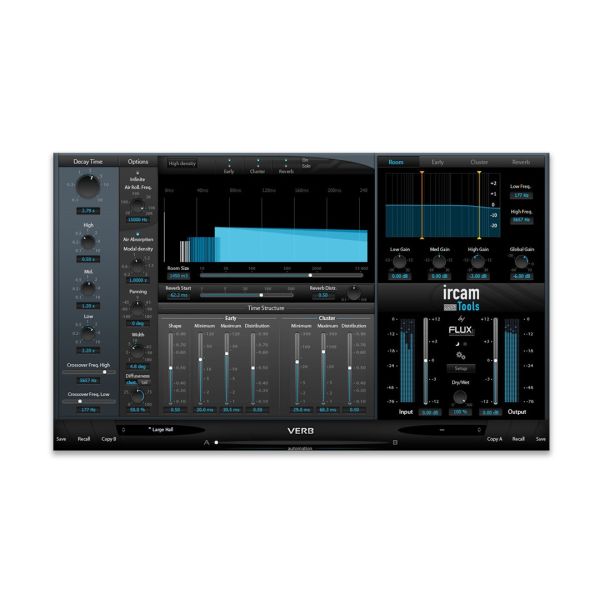
Ircam Verb represents the state of the art in room acoustics simulation and reverberation, whether for a simple quad format, Ambisonics or a Dolby Atmos deliverable. The time structure of the reverb, made up of Early, Cluster and Reverb, is displayed graphically and can be fine-tuned via room size, decay time with relative values for high, mid and low frequencies, and 3-band filters for each section. The reverb engine can run at standard or high density, and a channel routing matrix adapts the inputs and outputs to the monitoring setup in use. Open Sound Control support and creative perceptual reverb parameters further extend the possibilities.
Features
- Up to 10 input/output channels with support for Dolby Atmos
- Support for 7.1.2 and 7.0.2 Dolby Atmos buses in Pro Tools
- Graphical display of Early, Cluster and Reverb with room size control
- Decay time with relative values for high, mid and low frequencies, 3-band filters per section
- Channel routing matrix, ±12 dB input/output gain, dry/wet and true bypass
- Standard or high-density reverb engine, Open Sound Control support and preset/parameter slots
Technical details
- Type: Plug-in (reverb and room acoustics simulation)
- Operating systems: Windows, macOS
- Plug-in formats: VST2, Audio Unit (macOS only), AAX
- Architecture: 64-bit
- Licensing: iLok (computer-bound or iLok USB key)
System requirements
- macOS 10.12.6 Sierra or later
- Mac Pro 1.1 and Mac Pro 2.1 are not supported
- Windows 10 (64-bit) or later
- Windows: graphics card with full OpenGL 2.0 support required
- Windows: with ATi or NVidia graphics cards, install the latest drivers from the ATi or NVidia website
The licence is registered with the manufacturer at https://www.flux.audio/knowledge-base/how-to-redeem-a-license-activation-code/. You will receive your serial number and the download link by e-mail immediately after purchase.